Agent Transfer
Hands the conversation off to a different AI agent mid call, instead of a human. The handoff is seamless, with full call context preserved, and it appears as a single call in history.
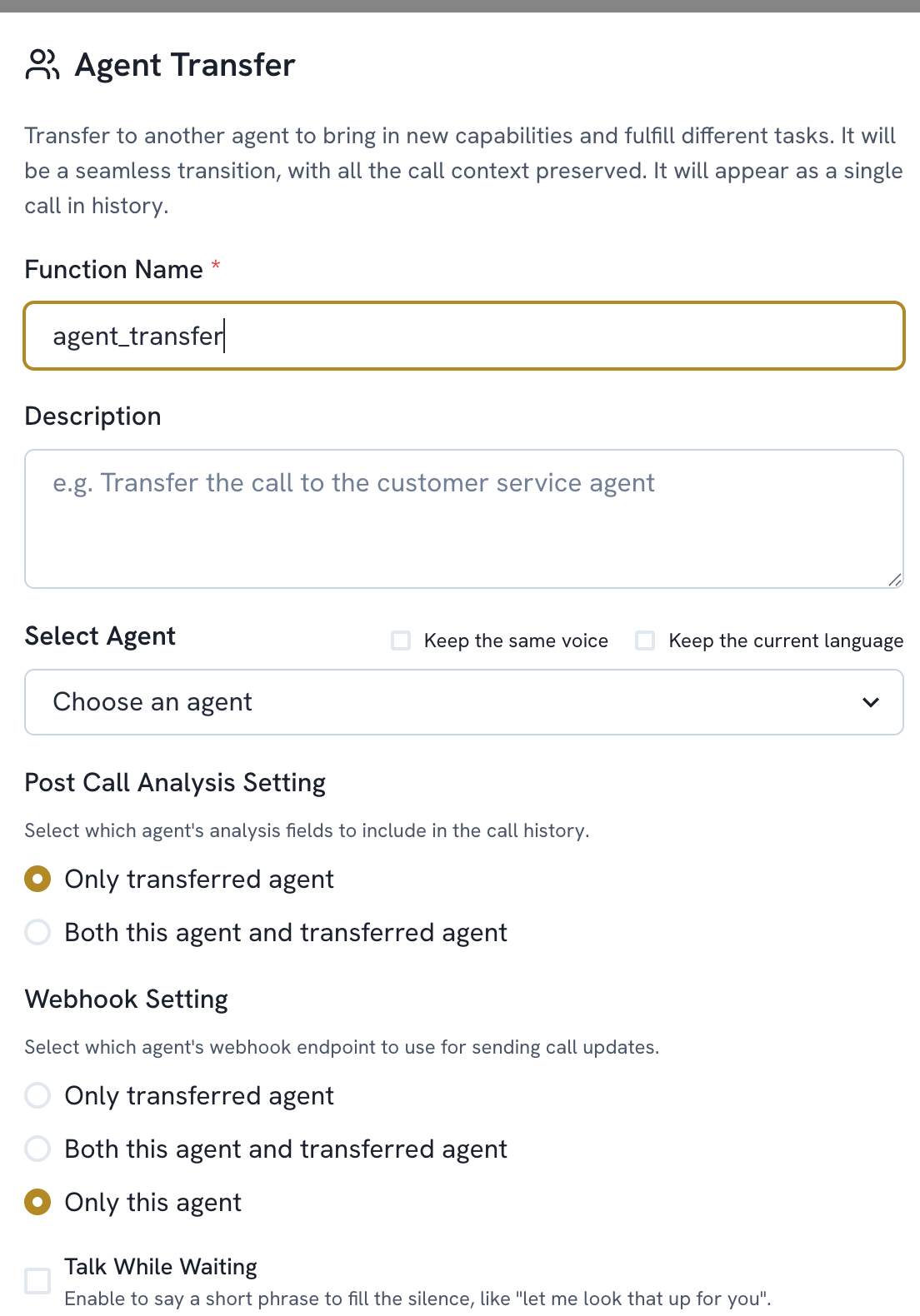
Add a function. Select Agent Transfer
The name is filled in automatically (agent_transfer). Add a Description if needed
Choose the agent under Select Agent. Optionally check Keep the same voice or Keep the current language to carry those over instead of using the new agent's defaults
Set Post Call Analysis Setting. Choose whether the call history keeps only the transferred agent's analysis fields, or both agents'
Set Webhook Setting. Choose which agent's webhook receives call update events. Only this agent, only the transferred agent, or both
Optionally enable Talk While Waiting to have the agent say a short filler phrase during the handoff instead of silence
Save