VoicePalace
  • Agency Settings
    • Setting Up a Knowledge Base
    • White Label and Brand Your Portal
  • Creating Voice AI Agents
    • Choosing an Agent Type
    • Configuring the Basics
  • Custom GHL Functions
    • Remove GHL Tag
    • Create GHL Task
    • End Call
    • Check Appointment Availability
    • Cancel Appointment
    • Move GHL Opportunity
    • Schedule Appointment
    • Add Tag in GHL
    • Agent Transfer
    • Reschedule Appointment
    • Press Digit
    • Update GHL Contact
    • Create GHL Opportunity
    • Transfer Call
  • Introduction to Voice Palace
    • 🔑 Core Concept: One Number, Three Agent Roles
  • Voice AI
    • Voice AI Assistant Setup
  • Learning the Software-Beginner
    • Prompting
    • How to Set Up an Assistant to Call New Leads (AI Dialer)
Powered by eniston
  1. Overview
  2. Custom GHL Functions
  3. End Call

End Call

Hangs up the call. Used once the goal, like a booking or an opt-out, is complete.
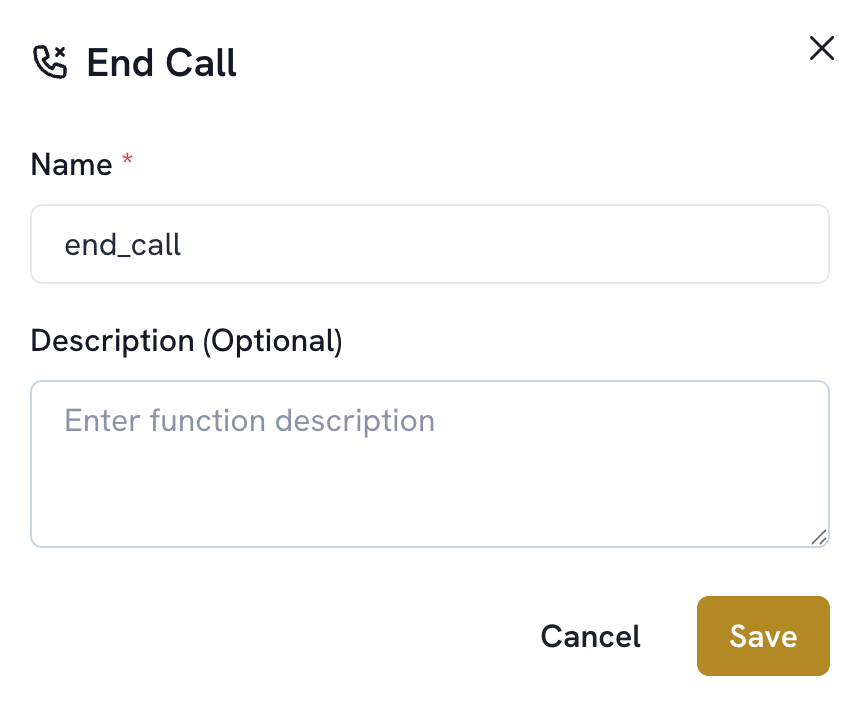
  1. Add a function. Select End Call

  2. The name is filled in automatically (end_call). Description is optional; no other configuration is needed

  3. Save


Was this article helpful?
© 2026 VoicePalace