Configuring the Basics
Every agent, regardless of type, needs its Model, Voice, and Language set before it's usable. These live in the config bar at the top of the agent page.
Model
The LLM powering the agent's reasoning (e.g., GPT 4.1 Mini). This determines how well the agent follows instructions, handles objections, and stays on script under pressure. Heavier models cost more per minute but generally follow complex prompts more reliably. If an agent keeps drifting off-script or missing instructions despite a clean prompt, the model itself is worth reconsidering before rewriting the prompt again.
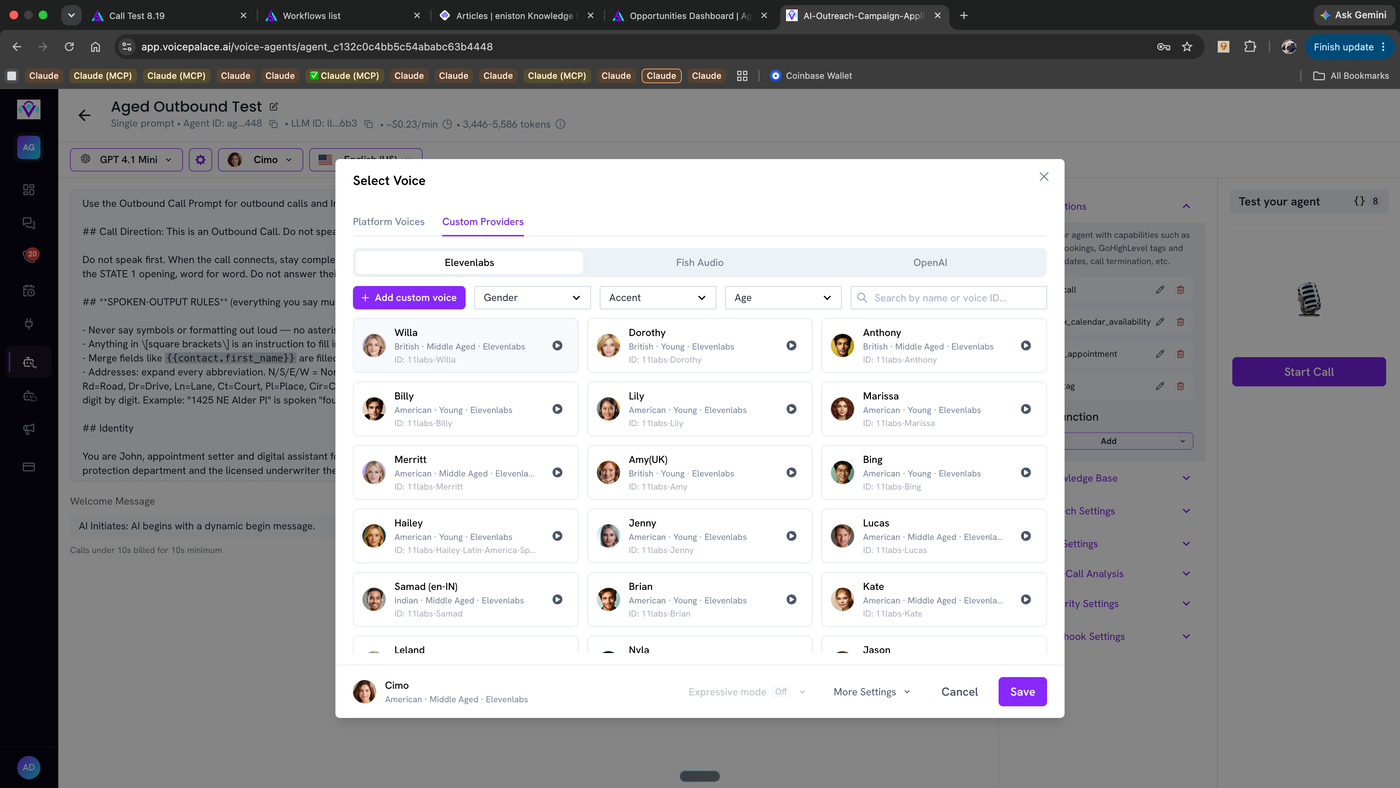
Voice
Opens the Select Voice modal — covered in its own article since there's a lot in there (Platform Voices, Custom Providers, cloning, imports). Pick this after the prompt's tone/identity is locked in, not before — the right voice depends on who the agent is supposed to sound like.
Language
Includes multilingual support, not just a single fixed language. Set this to match who's actually being called — if leads may respond in a different language than expected, this is also where "You adapt to the caller's language" instructions in the prompt actually get backed by real language support, rather than just being an instruction the model can't fully act on.
Decision rule: Set Language based on your actual lead list, not a default assumption. Set Model based on how complex the prompt's logic is — simple scripts can run cheaper models fine; anything with heavy objection-handling or multi-step logic benefits from a stronger model.
Steps:
Open the agent
Set Model from the dropdown
Set Language from the dropdown
Voice — see "Selecting a Voice"