Schedule Appointment
Books a specific slot on your calendar once the caller has agreed to a time. The Calendar dropdown pulls directly from the calendars already set up in GoHighLevel, so you don't need to create anything separate. Once booked, the appointment shows up in both the Appointments dashboard in this platform and on your actual GHL calendar.
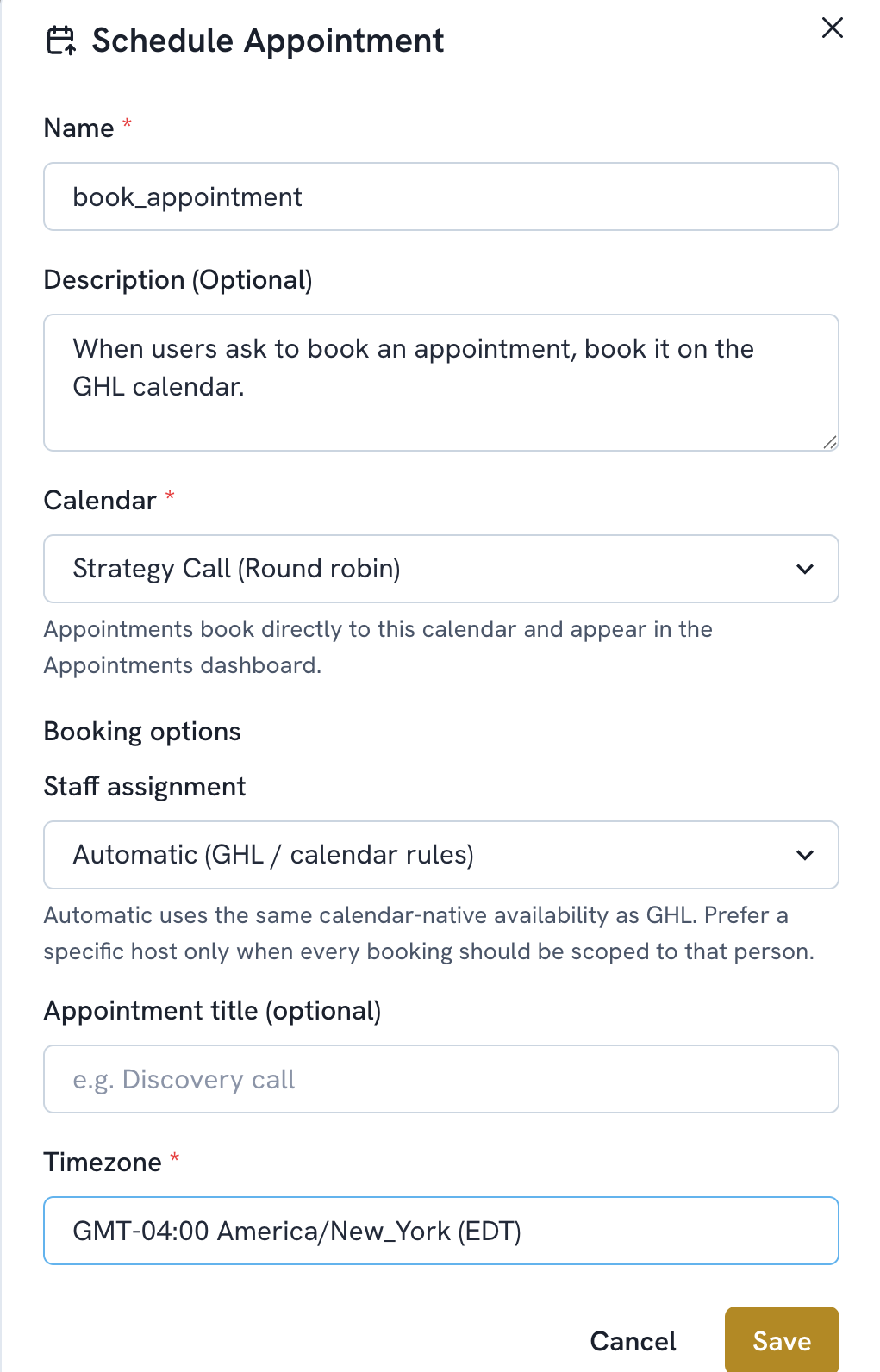
Add a function. Select Schedule Appointment.
The name is filled in automatically (book_appointment). Optionally add a Description to guide when the agent should use it.
Choose the Calendar. This is pulled from your GHL calendars. Appointments book directly to it and appear in the Appointments dashboard here as well as in GHL.
Set Staff Assignment. Automatic uses the same calendar native availability as GHL. Choose a specific host only when every booking should be scoped to that person.
Optionally set an Appointment Title (e.g. "Discovery call").
Set the Timezone. This is the timezone in which availability will be communicated to callers.
Save.